
Business Card Magnets for 2026

Simply Basic
Starting At: $0.07

Solid Black
Starting At: $0.07

Magnetic Business Card
Starting At: $0.22

A Green Earth Business Card
Starting At: $0.07
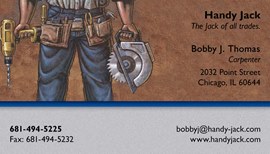
Tool Time
Starting At: $0.07

Blue Border
Starting At: $0.07

Black Border Business Card
Starting At: $0.07
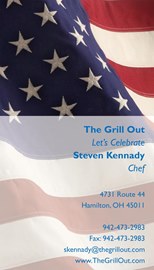
Antique Flag Business Card
Starting At: $0.07

Break Point Business Card
Starting At: $0.07

Solid Cream
Starting At: $0.07

Crisscross Color
Starting At: $0.07
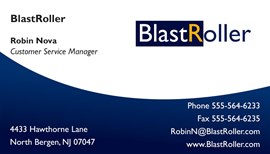
Upward Crest
Starting At: $0.07
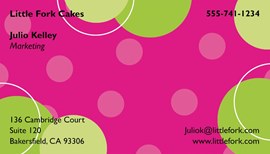
Bubbly
Starting At: $0.07

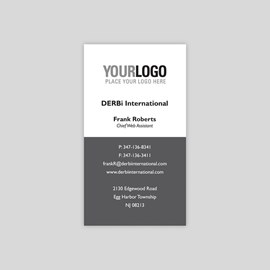
Block Solid Business Card
Starting At: $0.07

Clouds
Starting At: $0.07

Blue Line Business Card
Starting At: $0.07
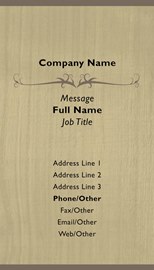
Distinctive Design
Starting At: $0.07

Builder's Blueprints
Starting At: $0.07

Under Construction
Starting At: $0.07

Tool Belt
Starting At: $0.07

Cutting Edge Coiffures
Starting At: $0.07

American Muscle
Starting At: $0.07

Deserted Beach
Starting At: $0.07

Brown and Cream
Starting At: $0.07

Solid Grey
Starting At: $0.07
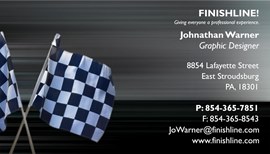
Crossed Checkered Flags
Starting At: $0.07

Cash
Starting At: $0.07

Blue Radiating Business Card
Starting At: $0.07
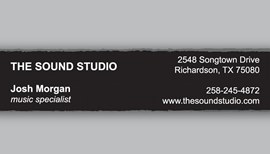
Bold Statement
Starting At: $0.07

Solid Navy
Starting At: $0.07

All Together Now Business Card
Starting At: $0.07

Cleaning Supplies
Starting At: $0.07

Compass on Geographic Map
Starting At: $0.07

Diamonds
Starting At: $0.07

Flag
Starting At: $0.07

Sleek Lines
Starting At: $0.07

Animal Print Background
Starting At: $0.07

Two Blue
Starting At: $0.07

Construction Site
Starting At: $0.07
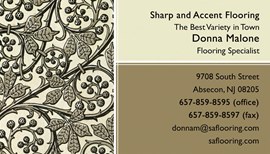
Berries and Leaf Vine Wallpaper Card
Starting At: $0.07
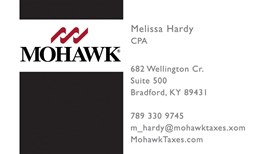
Block of Black
Starting At: $0.07
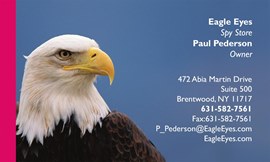
Bald Eagle
Starting At: $0.07
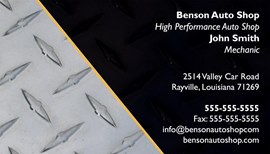
Diamond Plate Edge
Starting At: $0.07

Astroturf
Starting At: $0.07
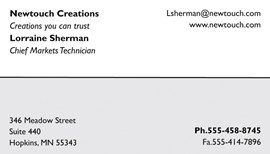
White and Grey
Starting At: $0.07

Cool Unit
Starting At: $0.07

Modern Blue Sophisticate
Starting At: $0.07

Crowning Achievement
Starting At: $0.07
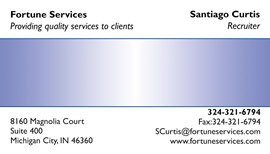
Bright Base
Starting At: $0.07

Empty Beach
Starting At: $0.07
Magnetic Business Cards
Custom magnetic business cards from 123Print are a powerful branding tool that helps your contact information stick — literally and figuratively — with prospects and customers. Unlike traditional paper cards, magnetic cards stay visible on refrigerators, file cabinets, metal doors, and other surfaces, driving long-lasting brand recognition.
Business card magnets are perfect for trade shows, networking events, direct mail campaigns, client giveaways, everyday customer reminders, promotional calendars, and QR Code displays.
Looking for traditional business cards? Take a look at more of our exclusive designs!
Why Choose Magnetic Business Cards?
- Maximum Brand Visibility: Your logo and contact info stay where people see them daily — boosting recall and conversions.
- Durable & Handy: Printed on sturdy 16 mil magnet stock with UV coating for lasting quality.
- Custom Designs: Choose from our stylish templates or upload your own artwork.
- Perfect for Multiple Uses: Ideal for restaurants, realtors, spas, salons, plumbers, electricians, promotional events, and much more.
- Better Than Paper Cards: Magnetic cards are kept longer and used more often than paper alternatives.
Sizes & Formats
We offer a standard size of 3½" x 2" in vertical and horizontal formats with straight or rounded corners.
Design & Customization Tips
- Add a QR code linking to your website or portfolio.
- Use bold branded colors to stand out.
- Include a call-to-action for discount (e.g., “Scan for 10% Off!”).
- Keep contact info clear and readable from a distance.
- Include your logo for maximum awareness.
- Add a photo to make your design memorable.
Frequently Asked Questions
What are magnetic business cards?
Magnetic business cards are promotional magnets printed with your business contact information and logo. They’re designed to stick to metal surfaces for maximum visibility and long-term recall.
How are magnetic cards different from regular business cards?
Traditional business cards are paper. Magnetic cards are thicker, stick to surfaces, and are more likely to be kept by clients for longer period of time.
What sizes do magnetic business cards come in?
Our standard business card size is 3½" x 2" with straight or rounded corners. They come in both vertical and horizontal formats.
How long do my custom products take to ship?
Most print and ship within 48–72 hours. For quicker delivery times, choose expedited shipping for a small additional fee.
Are magnetic business cards cost-effective?
Though slightly more expensive than paper cards, their longevity with customers can lead to more repeat sales.
Can I add full color or photos?
Yes — we offer vibrant full-color printing and allow you to upload logos, photos, and artwork.